
tl;dr - Made a ton of foundational stuff because ‘first game’, and fixed a ton of stuff, because first game. Every sentence here is only a brief outline; and each of these could merit a post of their own still. But made a self-hosted game-streaming architecture that costs approximately zero to run, and retains full control.
Warning
This is mostly technical, likely unfun stuff. It’s what we do to make fun stuff happen, or to stop other unfun stuff from happening. There’s a game-focused cycle review here
Technical#
RPC / Game state refactor#
We had multiplayer in mind, and were aiming for multidisplay this cycle to test the haptics of that - this took major refactoring of a very stateful set of core functions. The central ‘game manager’ of the system is now extracted, and purely data driven. Huzzah. This logic will shortly be moved to the Trips Server API, and C#, as we’ve readied the shell for multiplayer, more clearly separated commands and effects, so the system is RPC ready.
Dialogue#
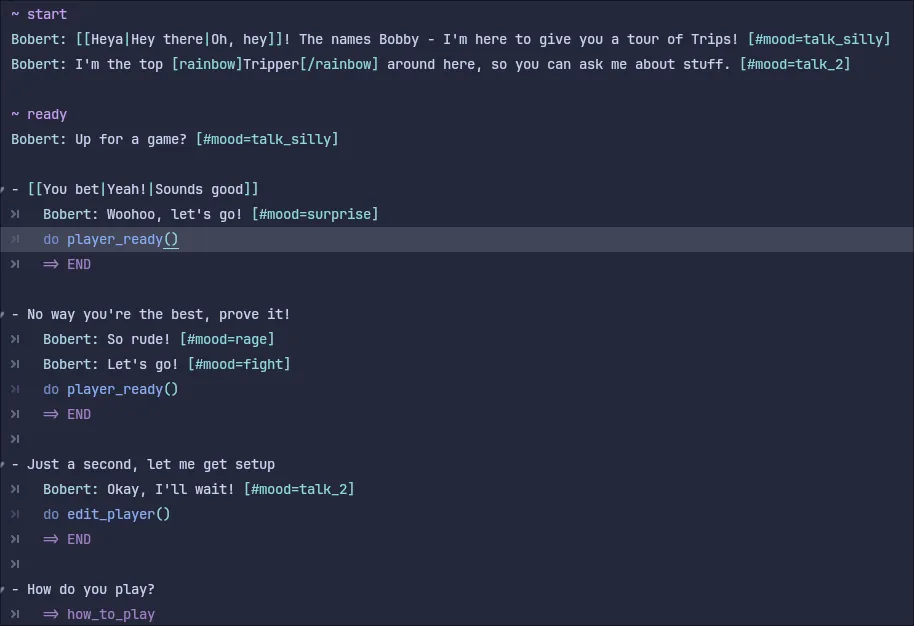
We’ve added dialogue as a core game mechanic, using the Dialogue Manager system. This needed us to create our own dialogue assets, anims, and scenes, and configure integration with our own input schemes. It’s working well.
Input systems#
We’re a little ambitious here, trying to support keyboard, mouse, touch, tap, drag, swipe, flick, joystick/dpad controllers, and novel controllers that simply issue ‘play card x’. That’s mostly all working now, and the one virtual joystick system we trialled has been shelved. And bar a ‘double tap with stylus’ bug, input has mostly been behaving although it needs tweaking. Controller support is particularly more polished now, with attention to small details like initial focus based on axis motion helping it feel far more natural.


We’re just beginning to add input/controller icons to where they’re needed, but the addition seems valuable, visually clear, and effective user guidance.
Character customization#
Our first actual test version of the character creator allowed us to validate some quick things, and see what people liked, didn’t like, and which option spaces were overwhelming. I’ve got a new version in mind, but it was clear people wanted to create, and keep the characters they made. I obviously therefore figured out an easy way to achieve this right after the MM demo.
So character saving (locally) now works, and you can play as your chosen character.
Discord authentication / user profiles#
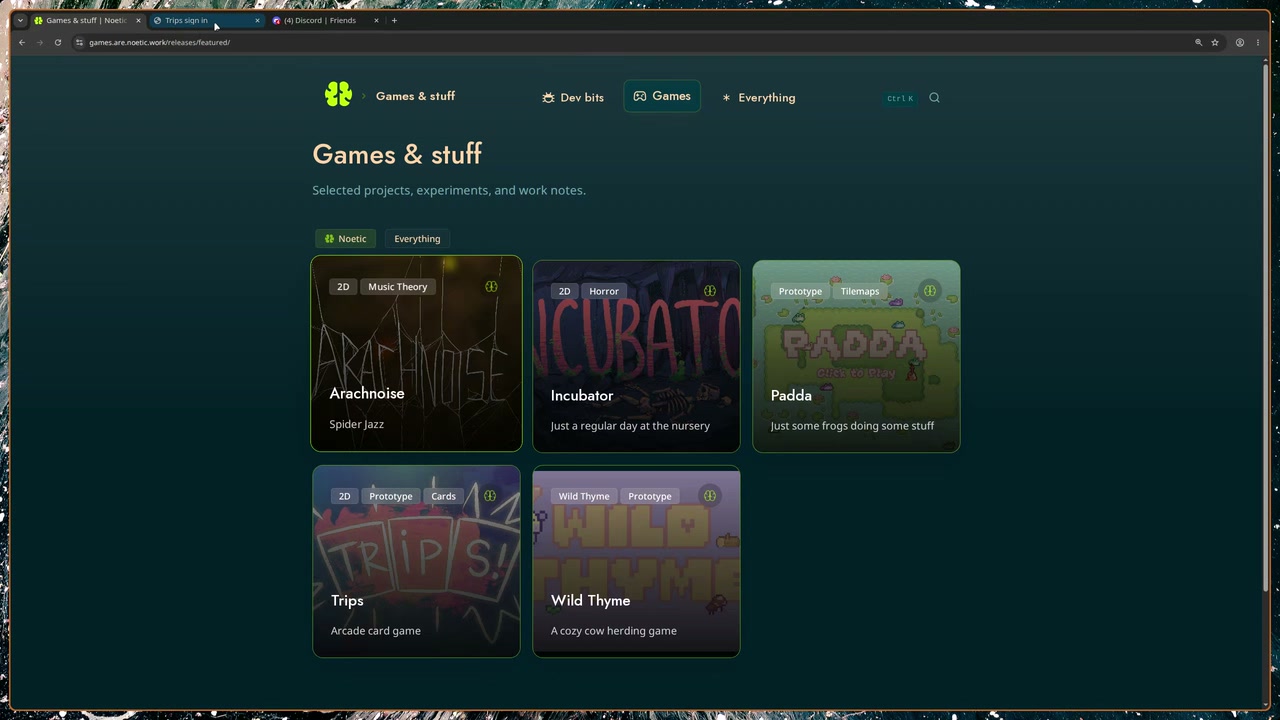
I’ve setup Discord authentication via Supabase, and this is working well. This will allow us to have a single sign-on for the game, site, and API. This is directly in the API / DB project.
Unable to load video.
Trips Server#
In essence, card games are data, and operations, and being turn based, they fit the traditional RPC API architecture very well. Conveniently, this also compresses quite well, and is also a good match for the relational / indexing model of a standard database, and the load on this system will be light, so we’re in sqlite territory. All good things - min compute, storage, reasonable latency needs. We can’t solve distributed/federated auth like this though, and for now we don’t want to own the IDP, so Supabase is a great choice.
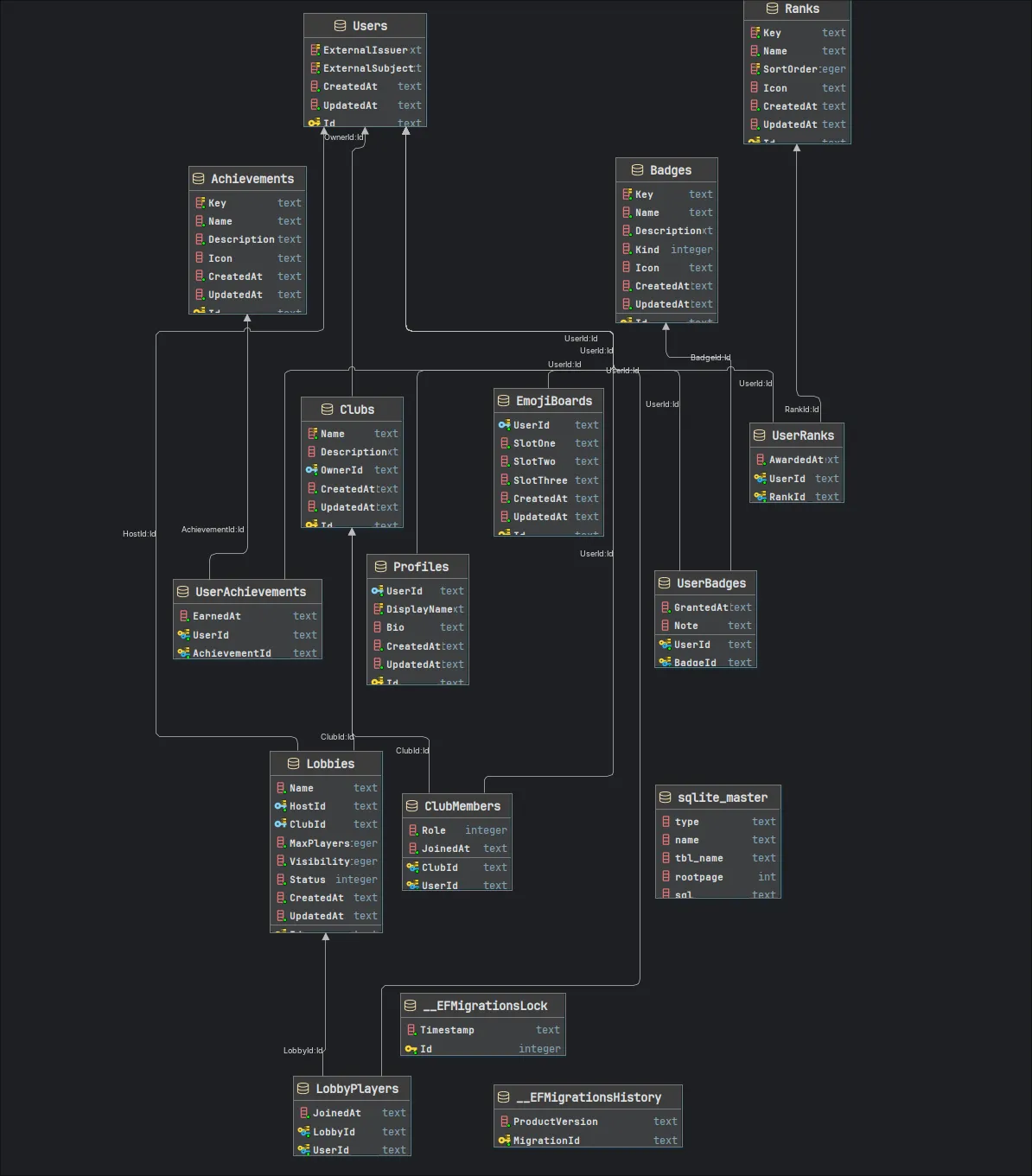
Anyway, we have the start of an API, docs, and a game schema / migrations, etc. Principally, we have the Identity part working, and authentication via Supabase (and whatever we configure there, like Discord, Google, etc.) This will allow us to use static sites, Supabase, R2 buckets, Paystack, and our own single simple server as the complete ‘deployed’ architecture, and any git forge, build system, and runtime S3-compatible store. Zero-marginal cost per user, and we retain full control of the game, the data, and the user experience. This is a big win for us.
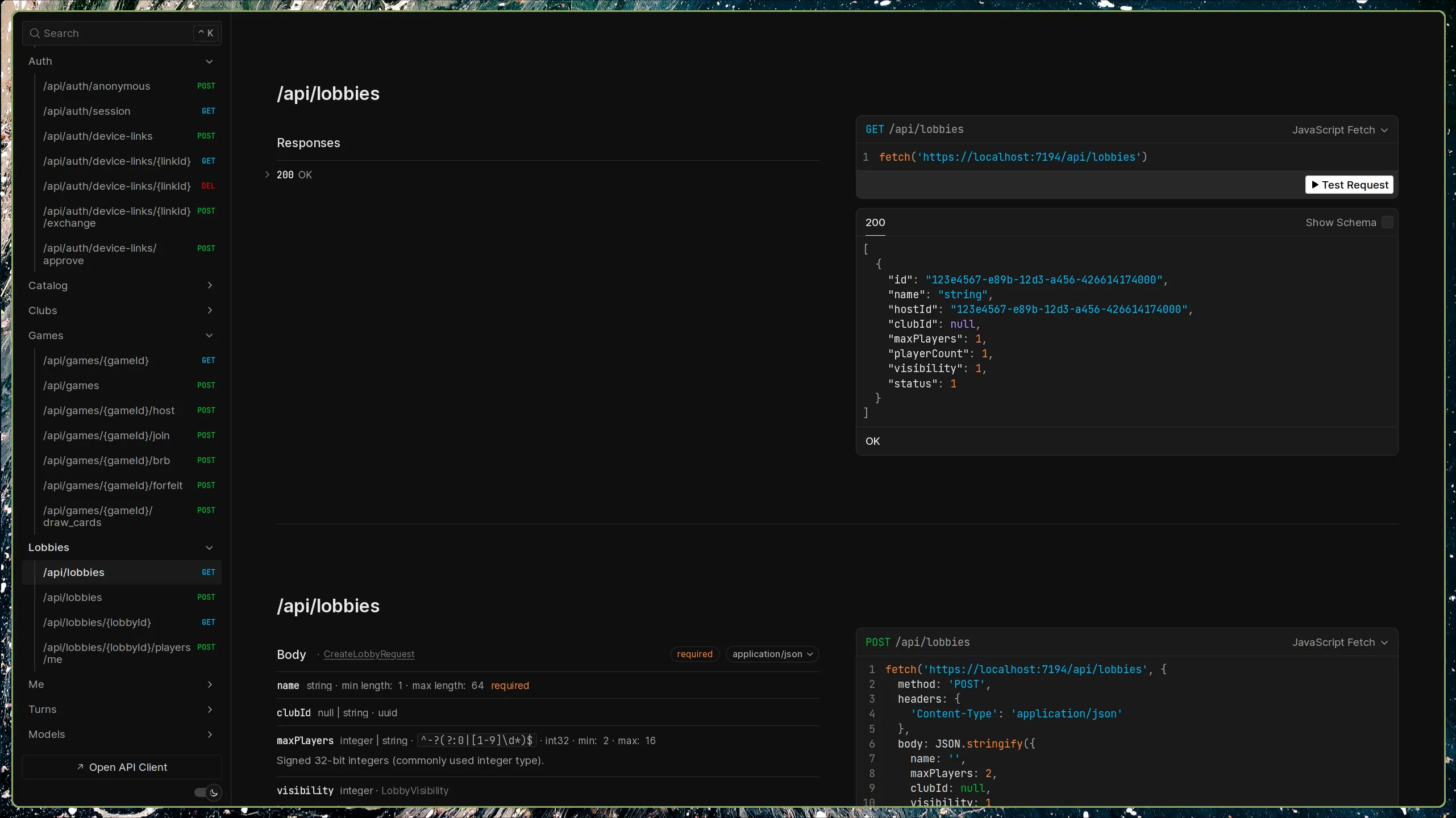
Vitally, auth via Supabase also gives us some RLS-capable storage, so user profiles, club profiles, leaderboards, etc can all be mirrored there.
Game Scene / Scene Host#
Implemented a system that allows us to transition smoothly from one scene to the next, as they’re ready, while maintaining consistent audio, or crossfading seamlessly. This avoids any ‘progress bar’ / stalling moments when transitioning, and allows for the game to be broken up into pieces (.PCKs) that can be distributed separately, so that the game can be ‘streamed’.
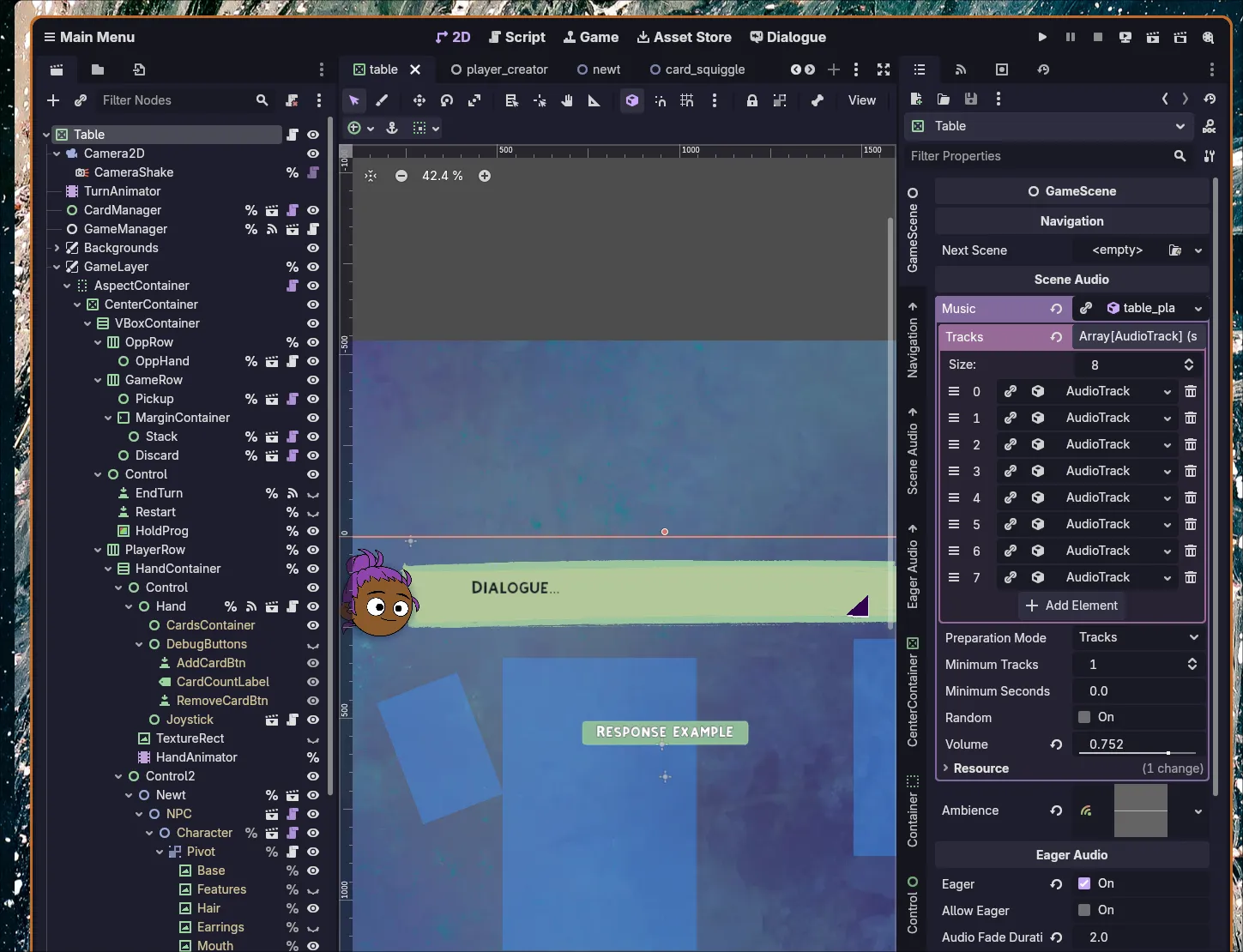
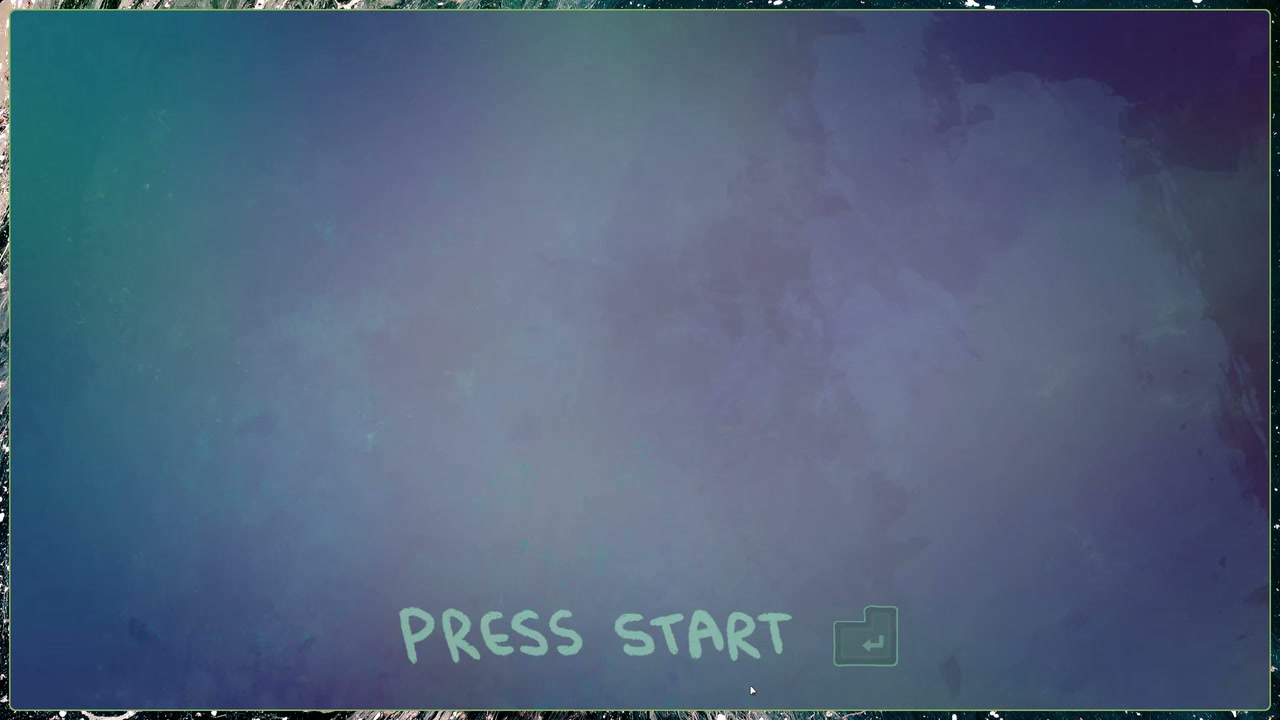
The scene now allows you to define how long / how many tracks should be loaded before the scene is considered ‘ready’, and so our title scene for e.g., can wait for the main scene to have enough audio loaded before allowing the player to continue, and the crossfade of the scene and audio can happen seamlessly. I also get to move huge assets out of the PCK (almost half of it), so the initial load, TTFP and TTI are much quicker.
Moved all audio SFX/Music/etc onto new, appropriate buses, and set their defaults to more comfortable levels (based on feedback)
While doing this, I had the idea to make some character animations driven by audio amplitude - so I implemented a beat-scaler component we can now add to any canvas item.
Unable to load video.
Infra#
Dev#
I started by putting everything in the project into Nix flakes. This means that we start our ‘reproducibilty’ story not with CD, or CI, but with our Nix flake pinning all our versions, including that of Godot and our dev tools themselves.
A basic flake
{  description = "Nix based Godot dev template";16 collapsed lines
  inputs = {    nsixpkgs.url = "github:NixOS/nixpkgs/nixos-unstable";  };
  outputs =    { nixpkgs, ... }:    let      forAllSystems =        function:        nixpkgs.lib.genAttrs [          "x86_64-linux"          "aarch64-linux"          "x86_64-darwin"          "aarch64-darwin"        ] (system: function nixpkgs.legacyPackages.${system});    in    {      devShells = forAllSystems (        pkgs:        let          project = "trips";          godotVersion = "4.7.1"; # for the docker image version string.          godot = pkgs.godotPackages_4_7.godot; # pinned by the flake          itchioUsername = "play-noetic";        in        {          default = pkgs.mkShell {
            buildInputs = with pkgs; [              # Pinned vers of everything needed to build, run, export, and deploy15 collapsed lines              godot              bun              just              python3              python3Packages.pyyaml              rclone              git              gettext              sops              age              yq              jq              woodpecker-cli              process-compose              lazygit            ];
            shellHook = ''              export PROJECT=${project}              export ITCHIO_USERNAME=${itchioUsername}              export GODOT_VERSION=${godotVersion}
echo " * /-----" echo " * | Godot development environment" echo " * | Project: $PROJECT" echo " * | Godot version: $GODOT_VERSION ($(godot --version))" echo " * \-----" echo " * " echo " * Start the project with: `just dev`" echo " *" just -l ''; }; } ); };}Build#
To complement this, I’ve added a Woodpecker build pipeline, and a justfile for local use. This isn’t a Github, Azure, or Gitlab flavored system, but rather a spec for a set of containers that perform the build. This gives us a reproducible and deterministic build too, as well as allowing for ‘agile’ practices like deploying from the desktop.
Woodpecker pipeline
steps:  - name: export-web    image: "docker.io/barichello/godot-ci:${GODOT_VERSION}" # This comes from our flake6 collapsed lines    environment:      PROJECT: ${PROJECT}    commands:      - mkdir -p exports/web      - godot --headless --export-release "Web" ../../exports/web/index.html ./src/godot/project.godot
  - name: export-linux    image: "docker.io/barichello/godot-ci:${GODOT_VERSION}"6 collapsed lines    environment:      PROJECT: ${PROJECT}    commands:      - mkdir -p exports/linux      - godot --headless --export-release "Linux" "../../exports/linux/${PROJECT}_linux_x64" ./src/godot/project.godot
  - name: export-windows    image: "docker.io/barichello/godot-ci:${GODOT_VERSION}"6 collapsed lines    environment:      PROJECT: ${PROJECT}    commands:      - mkdir -p exports/windows      - godot --headless --export-release "Windows Desktop" "../../exports/windows/${PROJECT}_windows.exe" ./src/godot/project.godot
  - name: export-itch    image: "docker.io/barichello/godot-ci:${GODOT_VERSION}"7 collapsed lines    environment:      BUTLER_API_KEY:        from_secret: BUTLER_API_KEY    commands:      - butler push exports/web     play-noetic/${PROJECT}:web      - butler push exports/linux   play-noetic/${PROJECT}:linux      - butler push exports/windows play-noetic/${PROJECT}:windows
  - name: generate-manifest4 collapsed lines    image: alpine    commands:      - apk add --no-cache python3 py3-yaml git      - python3 ci/generate-manifest.py --export-dir exports
  - name: upload-and-index    image: rclone/rclone:latest    environment:      PROJECT: ${PROJECT}      # These define the [r2] remote automatically — no file needed4 collapsed lines      RCLONE_CONFIG_R2_TYPE: s3      RCLONE_CONFIG_R2_PROVIDER: Cloudflare      RCLONE_CONFIG_R2_REGION: auto      RCLONE_CONFIG_R2_NO_CHECK_BUCKET: "true"      RCLONE_CONFIG_R2_ACCESS_KEY_ID:        from_secret: r2_access_key_id      RCLONE_CONFIG_R2_SECRET_ACCESS_KEY:        from_secret: r2_secret_access_key      RCLONE_CONFIG_R2_ENDPOINT:        from_secret: r2_endpoint2 collapsed lines      POSTHOG_KEY:        from_secret: posthog_key    commands:27 collapsed lines      - apk add --no-cache python3 py3-yaml git      - |        set -e        cd "${CI_WORKSPACE:-/woodpecker/src}"
        DATE=$(date -u +%Y-%m-%d)        EPOCH=$(git log -1 --format=%ct)        REV=$(git rev-parse --short HEAD)        R2_BASE="https://games-media.noetic.work/builds/$PROJECT/$DATE/$REV"
        echo "DATE=$DATE REV=$REV"
        # Verify rclone sees the remote        rclone listremotes | grep -q "^r2:$" || { echo "r2 remote missing"; exit 1; }        rclone ls r2:noetic-games --max-depth 1 || echo "R2 bucket empty or unreachable"
        python3 ci/generate-manifest.py \          --project "$PROJECT" \          --export-dir exports \          --shell-config shell.json \          --date "$DATE" \          --rev "$REV" \          --epoch "$EPOCH" \          --r2-base "$R2_BASE" \          --out-dir "manifests/$DATE/$REV" \          --telemetry-key "${POSTHOG_KEY:-}"
        rclone copy exports/web "r2:noetic-games/builds/$PROJECT/$DATE/$REV/web"        rclone copy exports/linux "r2:noetic-games/builds/$PROJECT/$DATE/$REV/linux"        rclone copy exports/windows "r2:noetic-games/builds/$PROJECT/$DATE/$REV/windows"        rclone copy "manifests/$DATE/$REV" "r2:noetic-games/builds/$PROJECT/$DATE/$REV"
python3 ci/update-index.py \ --summary "manifests/$DATE/$REV/summary.json" \ --r2-remote "r2:noetic-games" \ --project "$PROJECT"# Launch Godot editordev:5 collapsed lines
nohup godot src/godot/project.godot &> /dev/null & disown
build-manifest: ./build-manifest.sh
# Run pipeline locally with woodpecker-clici-local:8 collapsed lines
#!/usr/bin/env fish set -l TMP (mktemp -d)
if not set -q PROJECT; or not set -q GODOT_VERSION echo "PROJECT and GODOT_VERSION must be set" exit 1 end
# Decrypt secrets sops -d secrets/woodpecker.yaml > $TMP/secrets.yaml4 collapsed lines
envsubst '${PROJECT} ${GODOT_VERSION}' < .woodpecker.yml > $TMP/pipeline.yml set -gx DOCKER_HOST unix:///run/user/(id -u)/podman/podman.sock
# Run pipeline locally woodpecker-cli exec \ --repo-path . \ --backend-engine docker \ --secrets-file $TMP/secrets.yaml \ $TMP/pipeline.yml2 collapsed lines
rm -rf $TMPExports#
We’ve set up this pipeline to export Web (Wasm), Windows, and Linux exports, with Mac, iOS, and Android as optional extras. Our deployment currently pushes to our own infra, and to itch, but our own hosting is more tightly integrated, supports streaming, and will be part of the authentication story. I also started optimizing the exports, so we got the Web export down from over 100MiB to around ~20MiB (excluding Godot’s Wasm, but I Have Plans). This is completely required for the web experience to be smooth enough for us to target mobile. Right now, I can already squeeze the complete web export (59MiB) down to ~18MiB via brotli, but we’ll be targeting sub-10MiB, and then streaming/progressively.
Resources#
We set up new import conventions for resources to optimise size and quality, and then moved them to a distinct git repository (as a submodule) with its own media handling pipeline, and sync to the online buckets. This allows us to have a single source of truth for all our media, and to share it between multiple projects, and to have a single place to manage the media pipeline. These assets are now content-addressed, so we can expect high asset reuse, which also improves caching and game perf.
Video / Audio / Images#
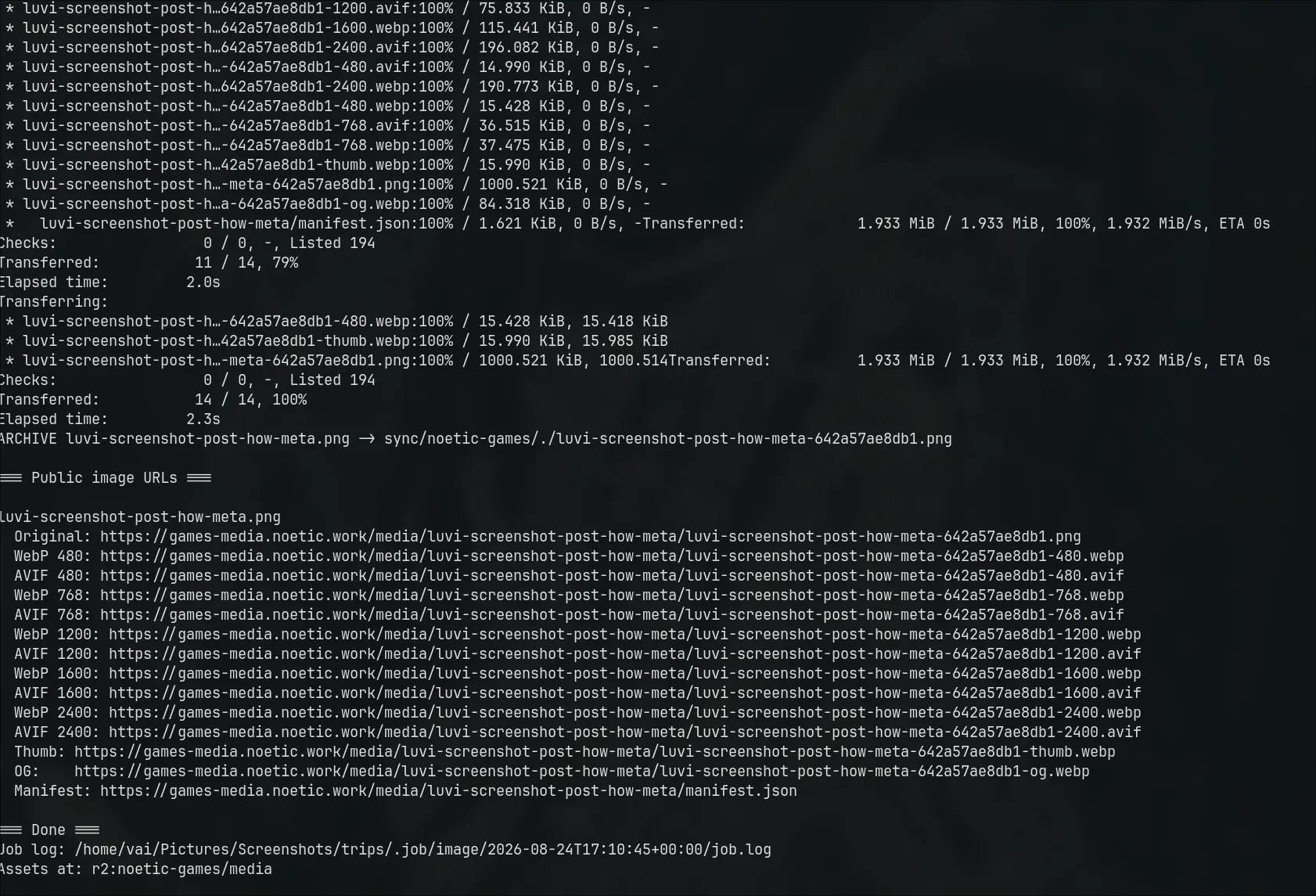
To support streaming game content, I sorted out a separate flake based system for media transcoding, and providing variable bitrates. The same system powers media on this site.
Secrets#
Some of the above needs key material/secrets (R2, Itch), so I’ve implemented SOPS/age for now. This allows secure credential storage in the repo, but access only by keyholders. This will also connect to Vault, but is simply static for now.
JS Bridge / Web#
This allows us to tell a custom html shell when the game is ready, so we can completely customize the loading experience, and share analytics and other resources (web audio elements are more capable than Godot’s for e.g.). This will also allow authentication information, and analytics setup to be shared.